Small tattoos stay popular for a reason. They are discreet, flexible, and easy to personalize. Whether you want a tiny moon on the wrist, a symbolic number behind the ear, or a delicate floral design near the ankle, small-scale tattoos can feel meaningful without taking up much space.
That is exactly why so many people look for inspiration before booking an appointment. A small tattoo may look simple, but it still needs strong shape, balance, and placement awareness. If the concept is too crowded, it can lose clarity. If it is too plain, it may not feel intentional. Using Tattoo AI Design’s Kleine Tattoo Generator is a practical way to explore ideas before taking them to a tattoo artist.
This guide shows how to use the tool to create cleaner, more personal kleine tattoos and how to turn rough inspiration into a design direction worth saving.
Why Kleine Tattoos Work So Well
Kleine tattoos are popular because they feel light, modern, and easy to wear. They work especially well for first tattoos, matching tattoos, discreet placements, and tiny symbols with personal meaning. Many people prefer them because they are less visually heavy than large pieces and easier to fit on areas like the wrist, finger, ankle, collarbone, or back of the neck.
The challenge is that small tattoos leave very little room for visual confusion. Every line matters. That is why planning matters just as much as inspiration.
Using AI for tattoo design can help you see what an idea looks like before you commit to it. Instead of guessing from a text note or moodboard, you can generate several versions, compare them, and decide which direction feels cleanest.
Why Use the Kleine Tattoo Generator
Tattoo AI Design’s Kleine Tattoo Generator is built for compact, minimalist concepts. Rather than using a general image tool and hoping it understands small tattoo aesthetics, you can work with a focused workflow that matches this style better.
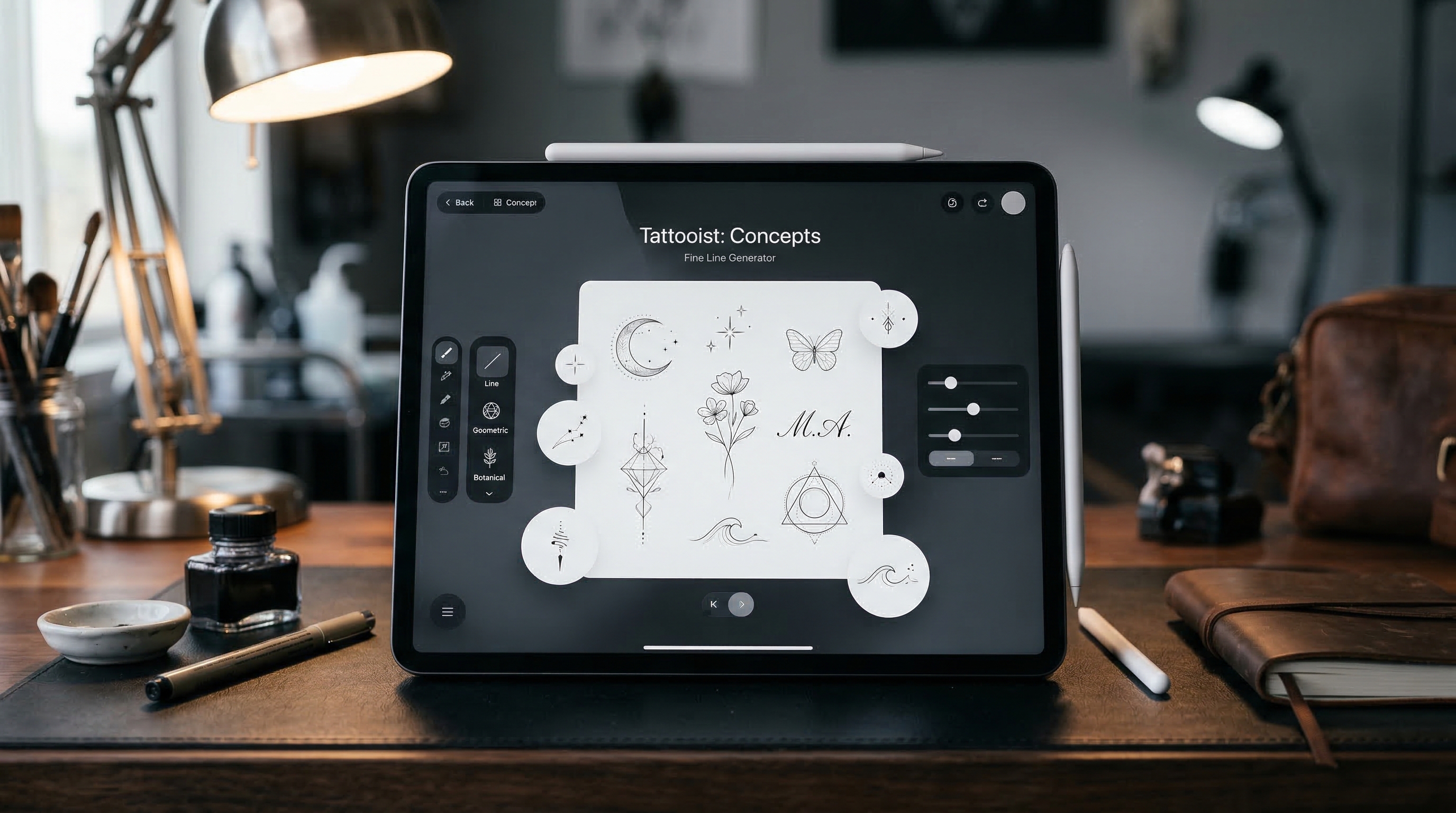
The tool lets you choose a model, write a tattoo description, upload an optional reference image, and adjust settings like ratio, resolution, color, and background. That setup makes it easier to create kleine tattoos that feel organized and easy to review.
It is also useful when you want quick concept testing. Instead of sketching every idea by hand, you can explore multiple directions in minutes and narrow them down before talking to a professional artist.
How to Generate Better Kleine Tattoo Ideas
1. Start with one tiny subject
The strongest small tattoo prompts usually begin with one clear subject. A star, butterfly, tiny snake, initial, flower, moon, or simple geometric mark is easier to keep readable than a design with too many elements.
If you want better kleine tattoo motive, start simple. A small tattoo does not need many objects to feel meaningful. In most cases, one strong symbol works better than a crowded composition.
2. Write a prompt like a tattoo brief
A short but specific prompt usually performs better than a vague one. Describe the subject, style, line quality, and intended placement.
For example:
- tiny lotus tattoo, minimalist black ink, clean linework, ankle placement, white background
- small moon and star tattoo, delicate outline, subtle wrist design, simple composition
- tiny cat silhouette tattoo, black and grey, fine lines, behind-ear placement, white background
A focused prompt helps an AI tattoo generator create results that look more like tattoo concepts and less like generic illustrations.
3. Use reference images for inspiration
If you already have a rough sketch, icon, flower photo, or design moodboard, upload it. Reference images are helpful when you want the output to stay close to a certain shape or feeling.
This is also a useful way to explore more kleine tattoo motive from pictures instead of words alone. A pic-to-tattoo workflow can help when you know the visual style you like but do not yet have a finished idea.
4. Match the settings to a small tattoo workflow
For small tattoos, simple settings usually work best. A 1:1 ratio is useful for centered mini concepts. Black and grey helps keep the design classic and readable. A white background makes it easier to judge the linework without distraction.
Even tiny concepts benefit from good output settings. A clean layout makes the design easier to compare, save, and discuss with an artist later.
5. Generate several versions and refine them
Do not stop at the first result. The real advantage of a tattoo generator AI workflow is speed. You can test a small variation, change the line thickness, reduce ornament, adjust scale, or simplify the composition and see what improves.
When a result feels too busy, remove details. When it feels too empty, add one controlled accent rather than several. Small tattoos usually look best when they feel intentional, not overloaded.
Prompt Tips for Stronger Results
When writing prompts for kleine tattoos, use language that supports clarity. Terms like “minimalist,” “tiny tattoo,” “clean outline,” “delicate linework,” and “simple composition” often help.
Good subjects for small tattoo design include celestial symbols, initials, fine florals, tiny animals, abstract icons, and meaningful numbers. Harder subjects include crowded scenic designs, overlapping objects, or overly realistic details that do not translate well at a small size.
If you want better results from AI for tattoo design, think about how the design will actually sit on skin. The best concept is not just attractive on a screen. It should also feel tattooable.
Mistakes to Avoid
One common mistake is adding too many ideas into one prompt. Small tattoos need focus. Another is assuming the AI output is final tattoo-ready art. It is not. It is best used as inspiration, concept material, and communication support.
It is also a mistake to ignore placement. A design that works on the forearm may not work on a finger or behind the ear. Keep the intended body area in mind as early as possible.
Turning AI Concepts Into Real Tattoo Decisions
Once you generate a few strong options, shortlist the best three to five and compare them for clarity, balance, symbolism, and placement fit. Bring those ideas to a real tattoo artist and let them refine the final version for skin, scale, and longevity.
That is where the workflow becomes most useful. A good AI tattoo generator does not replace tattoo craftsmanship. It helps you arrive with a clearer vision.
If you use Tattoo AI Design’s Kleine Tattoo Generator well, you can discover more polished kleine tattoos, test more directions faster, and build inspiration that feels much more personal than a random screenshot.
Other Tools Worth Trying
- AI Tattoo Generator
- AI Tattoo Design Generator
- AI Tattoo Try On
- AI Tattoo Video Generator
- Explore More Tattoo Styles
Related Article
- How to Use Seadream 5.0 to Create a Tattoo Stencil
- Best Free Text-to-Tattoo AI Generators in 2026 (Plus a Top Pick)
- How to Try On the Tattoo on Your Body Photos: A Complete Guide to Virtual Ink
- Veo 3.1 Tattoo Video Generation Guide: How to Turn Tattoo Ideas Into Motion
- Seedream 4.5 Unrestricted for AI Tattoo Generation: A Learner Guide
People Also Read
- Seedream 5.0 AI Image Editor Guide on HeyDream AI (2026)
- Nano Banana Pro on DreamMachine AI: A Practical Way to Create Better AI Images
- Best Prompts of Flux.1 AI for Flux Images — March 8, 2026
- VideoWeb AI Image Generator 2026: The Creator Switchboard for Fast-to-Final Images
- How to Use Sea Imagine AI’s Image Generator: A Beginner-Friendly Tutorial