Traveling to Tokyo with tattoos can feel a little uncertain. Some baths and hot spring facilities are more flexible than they used to be, while others still keep strict no-tattoo policies. That is why many people are drawn to small, discreet concepts that feel easier to conceal, easier to place thoughtfully, and more aligned with a low-key travel aesthetic.
If you want to explore that direction before talking to a tattoo artist, the easiest place to start is TattooDesign AI’s Onsen Tokyo Friendly Tattoo generator. It gives you a fast way to turn a rough idea into image samples you can compare, refine, and bring into a real design conversation.
This guide walks through a simple workflow for creating tasteful, travel-aware tattoo ideas with AI. It also covers one practical point that matters just as much as style: always check an onsen’s tattoo rules before you go, because policies still vary from place to place.
Start with the kind of design that makes sense for travel
The phrase “onsen-friendly” is really about intention. It usually points to tattoo ideas that are smaller, cleaner, and more understated rather than loud, oversized, or heavily packed with detail. That does not mean the tattoo has to be boring. It just means the design works better when it feels balanced, elegant, and easy to place in a way that suits your comfort level.
A good first step is to think beyond the subject itself. Instead of beginning with only “wave,” “flower,” or “koi,” decide what kind of mood you want. Do you want the piece to feel calm, minimal, poetic, modern, or quietly symbolic? A small sakura branch, a fine-line mountain crest, a simple koi outline, or a restrained geometric motif can all feel very different depending on the linework and composition.
Using the Onsen Tokyo Friendly Tattoo tool works best when you already know four things: the subject, the mood, the size, and the likely placement. Those details help the design stay intentional from the beginning instead of turning into a generic tattoo image.
Write prompts like a visual brief, not a random thought
Once you know the direction, the next step is the prompt. The easiest way to get better results is to describe the tattoo the way you would describe it to a designer. Keep it visual, clear, and specific.
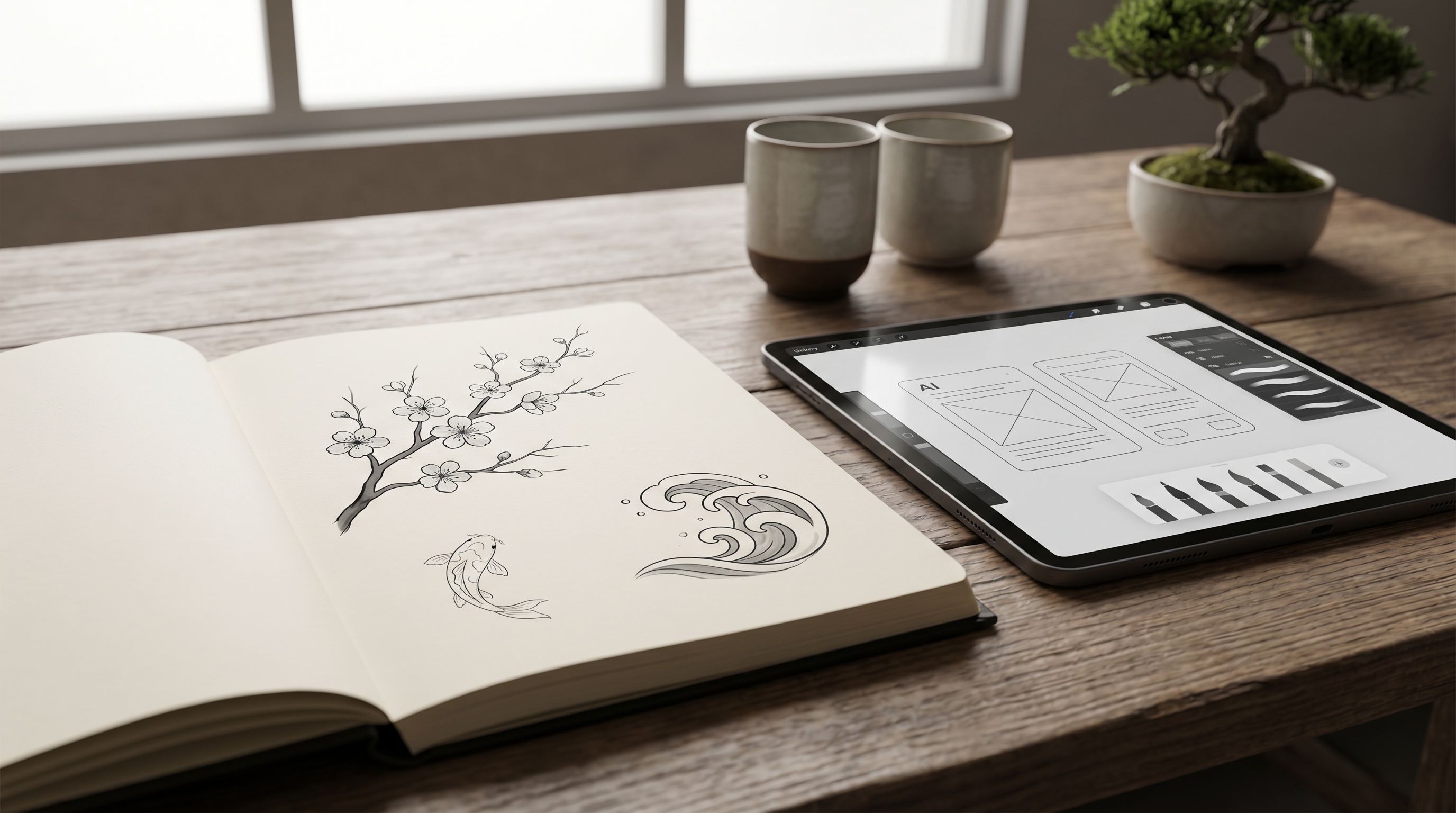
A simple prompt formula is: subject + mood + scale + placement + line style + color approach. That might sound technical, but it is actually very natural once you try it. For example, instead of typing “small Japanese tattoo,” you could describe “small cherry blossom branch, soft black-and-grey linework, minimal composition, discreet inner arm placement, calm elegant mood, white background.”
When you work inside TattooDesign AI’s tattoo generator, this kind of phrasing gives the model a much stronger sense of what you are after. It also helps you avoid results that are too busy, too theatrical, or too disconnected from real tattoo placement.
If you already have an image reference, a saved tattoo you like, or even a mood-board screenshot, upload it. A reference image can help the system understand your taste much faster than text alone.
Use settings that support subtle, clean concept art
The tool settings matter more than many people expect. If your goal is a discreet travel-aware concept, then the cleanest results usually come from simple presentation choices.
Start with a ratio that fits the area you are imagining. A vertical layout is useful for forearm, calf, and spine-inspired concepts, while a square format can work well for shoulder, chest, or flash-style previews. Higher resolution is helpful when you want to examine line quality and shape clarity more closely.
For color, black and grey is often the smartest default. It keeps the focus on linework, silhouette, and readability instead of turning the concept into a poster-like illustration. Most people exploring this direction are not looking for a loud, saturated design. They want something that feels refined and wearable.
If you want to explore broader directions before narrowing the style, the general AI Tattoo Generator is a useful companion tool. It is especially helpful when you are still deciding between a minimal symbol, a delicate floral idea, or a more stylized Japanese-inspired composition.
Refine the image so it feels intentional, not generic
This is the stage where many people either improve the concept dramatically or accidentally overwork it. The trick is not to keep adding more details. The trick is to improve the hierarchy of the design.
Start by looking at the focal point. What is the eye supposed to notice first? If that is unclear, the tattoo probably needs simplification. Remove extra elements, reduce clutter, and make the main form stronger. Small tattoos in particular benefit from restraint.
You can also guide the image toward a more polished final direction by using the AI Tattoo Design Generator after your first round of exploration. That tool is useful when you want to turn a loose visual idea into something that reads more like a structured concept sheet.
Words like “minimal,” “clean,” “small-scale,” “fine-line,” “subtle black and grey,” and “elegant negative space” are often more useful than broad adjectives like “cool” or “beautiful.” The more visual your prompt language becomes, the more consistent your results usually are.
Always check the real onsen rules before you visit
This is the practical part that should never be skipped. A discreet tattoo concept may be inspired by Tokyo travel, but it does not guarantee access to every onsen or sento. Rules still vary widely by facility.
Some places are openly tattoo-friendly. Some allow tattoos only in private baths. Some accept small tattoos if they can be covered. Others do not allow tattooed guests at all. That is why it is worth checking the official rules of the exact bath, spa, ryokan, or hot spring facility you plan to visit before you go.
This step is more important than any design choice. Even the smallest tattoo may be treated differently depending on the location, management, and local expectations. If you are planning a Tokyo trip, search each facility directly, look for tattoo policies on its official page, and confirm in advance whenever possible.
From a design perspective, this is also why many travelers prefer smaller concepts placed in areas that are easier to manage personally. It gives you more flexibility, even though the final decision still depends on the facility’s rules.
Turn your favorite result into a real artist-ready reference
Once you have a few good outputs, stop thinking in terms of “more images” and start thinking in terms of “better references.” Pick your top three results and compare them carefully. Which one has the clearest shape? Which one feels the most balanced? Which one still looks good when you imagine it scaled down on skin?
Save one version on a white background for clean presentation. Save another version that is closer to the intended placement. Then bring both to a tattoo artist as conversation material, not as a final instruction sheet.
If you want an extra preview step, AI Tattoo Try On can help you imagine how a concept may sit on the body before you commit to a final design discussion. You can also browse the Explore gallery if you want to compare how different tattoo aesthetics behave before refining the last version.
The best way to use AI here is simple: let it help you discover what you like, then let a real artist turn that idea into something that actually works for your body, your style, and your long-term comfort.
Prompt Ideas
- “Small cherry blossom branch, soft black-and-grey linework, minimal composition, discreet inner arm tattoo concept, elegant and calm mood, white background.”
- “Tiny koi outline with gentle wave detail, clean fine-line tattoo style, subtle Japanese-inspired composition, ankle placement concept, black and grey.”
- “Minimal mountain crest with rising sun, delicate linework, restrained travel-friendly tattoo design, upper shoulder concept, simple white background.”
- “Small plum blossom and moon symbol, elegant negative space, black-and-grey tattoo concept, discreet wrist or inner arm placement, refined minimalist look.”
- “Understated wave motif, clean lines, small-scale tattoo design, quiet modern Japanese-inspired aesthetic, black-and-grey presentation, white background.”
Other Tools to Explore
- AI Tattoo Generator for broader text-to-tattoo idea generation.
- AI Tattoo Design Generator for shaping rough ideas into clearer visual plans.
- AI Tattoo Try On for previewing placement on the body.
- Tokyo Tattoo for a more city-inspired Tokyo aesthetic.
- Explore Gallery for browsing more styles, layouts, and sample ideas.
Related Article
- How to Generate Japanese Tattoo Ideas with Tattoo AI Design’s Japanese Tattoo Generator
- How to Generate Fine-Line Tattoo Ideas with Tattoo AI Design’s FineLine Tattoo Generator
- How to Generate Kleine Tattoo Ideas with Tattoo AI Design’s Kleine Tattoo Generator
- How to Use Seadream 5.0 to Create a Tattoo Stencil
- Best Free Text-to-Tattoo AI Generators in 2026 (Plus a Top Pick)
People Also Read
- How to Turn Images Into Better AI Prompts with HeyDream AI
- Nano Banana Pro on DreamMachine AI: A Practical Way to Create Better AI Images
- Best Prompts of Flux.1 AI for Flux Images — October 26, 2025
- How to Use Nano Banana 2 for AI Image Generation and Editing
- How to Use Sea Imagine AI’s Image Generator: A Beginner-Friendly Tutorial