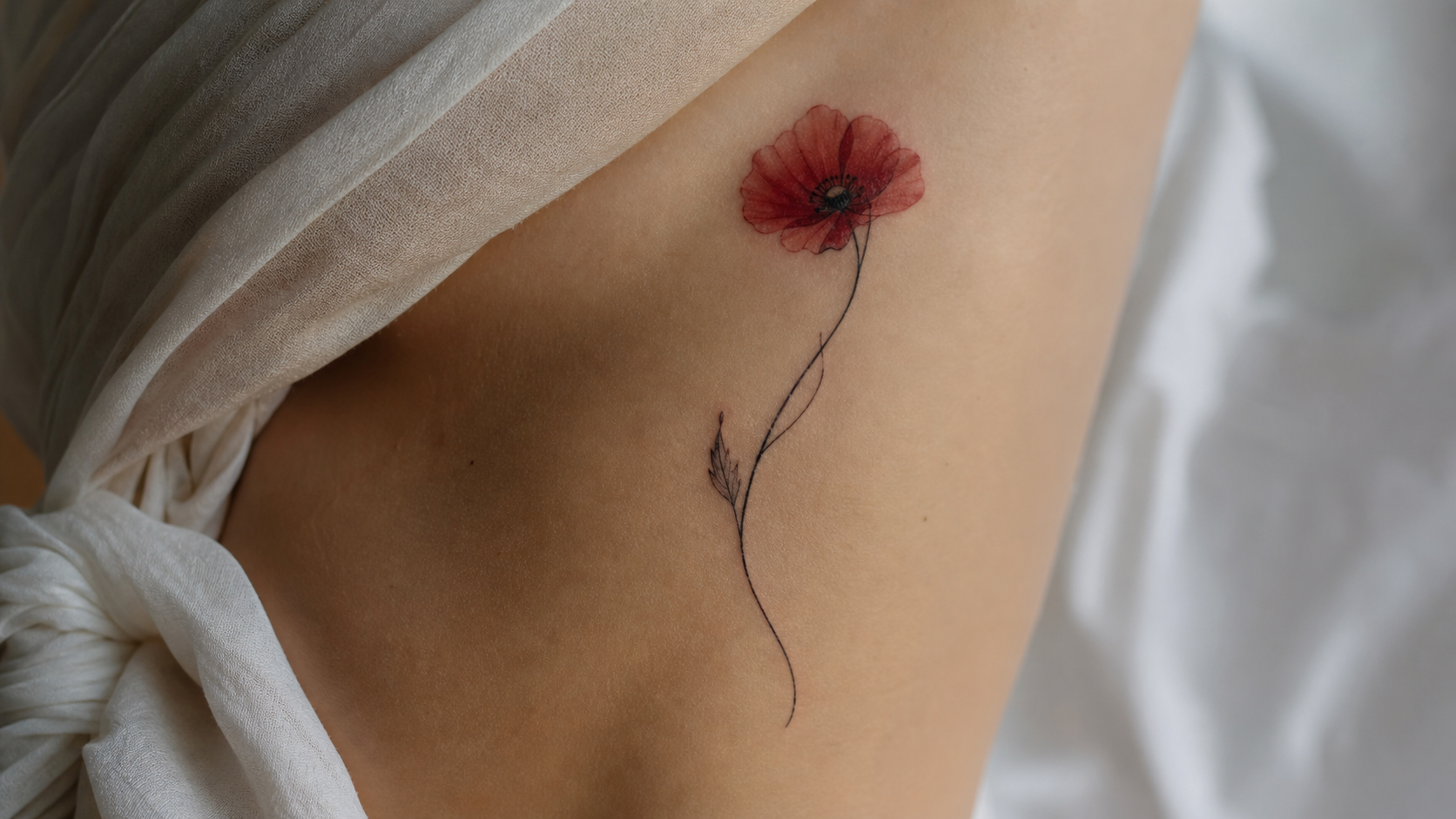
If you want soft floral tattoo ideas, butterfly concepts, or black watercolor references before booking a consultation, a watercolor tattoo generator can help you turn a rough idea into visual options. The key is to use AI output as a concept reference, not a final tattoo stencil.
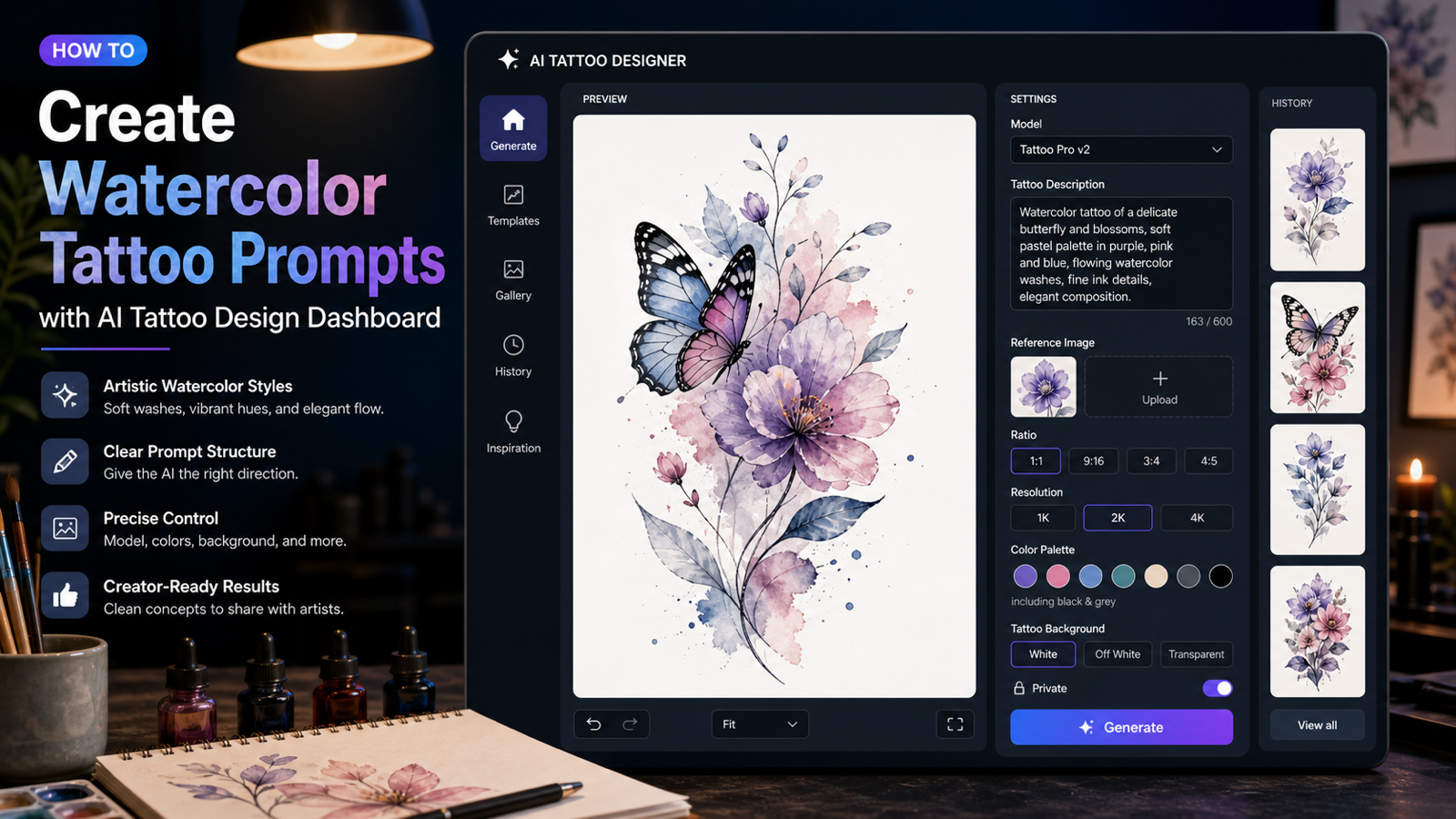
This tutorial explains how to use Tattoo AI Design's Watercolor Tattoo Generator, then gives copy-to-use prompt templates for flowers, butterflies, black and grey washes, delicate linework, and placement planning. Reliable watercolor tattoo style references often describe the look as painterly, fluid, colorful, lightly outlined, and expressive, but a wearable tattoo still needs readable shape, durable line choices, and artist refinement.
Quick Summary
Use Tattoo AI Design to create visual references: choose a model, write a tattoo-specific description, upload a reference image if useful, set ratio and resolution, choose color and background options, generate concepts, and save favorites from image history. Use the AI watercolor tattoo generator when you specifically want pigment washes, soft splash effects, floral compositions, butterflies, or black watercolor ideas.
Before tattooing anything, take your favorite AI concepts to a professional artist. They can adjust placement, anatomy, color aging, skin tone contrast, line durability, and long-term readability.
How to Use Tattoo AI Design's Watercolor Tattoo Generator
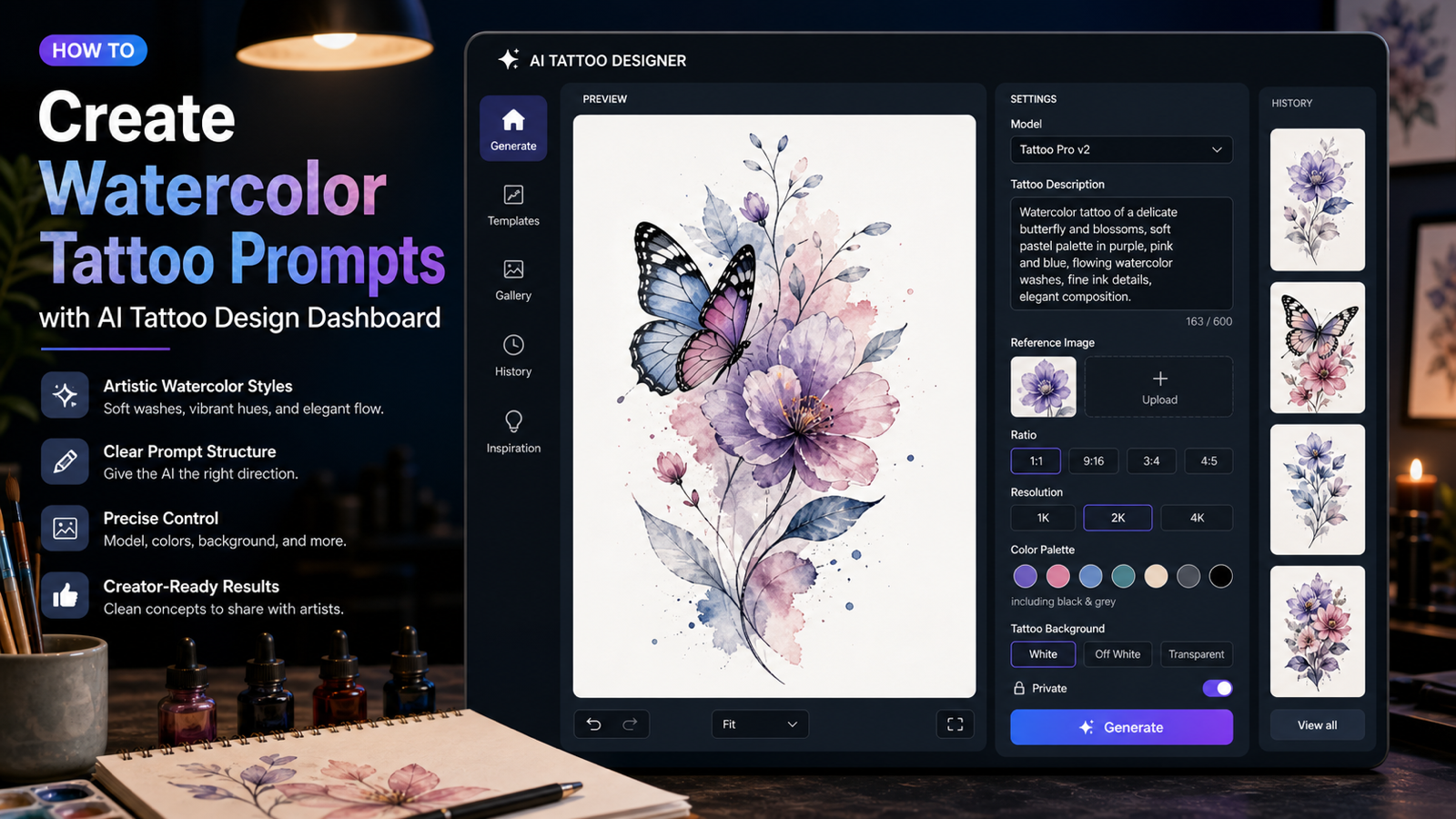
The Watercolor Tattoo page is designed for quick tattoo concept generation. The visible tool interface includes Nano Banana Pro model selection, a tattoo description box, a Translate toggle, optional reference image upload, a 1:1 ratio option, 2K resolution, color options such as black and grey, tattoo background options, a public/private toggle, a Generate button, and image history.
Use the page like this:
- Choose the model. Start with the visible Nano Banana Pro option if it is available, then test how well it follows watercolor-specific prompt details.
- Write a tattoo description. Include subject, mood, pigment wash, splash level, palette, linework, placement, and background.
- Use Translate if needed. This can help if your idea starts in another language but you want the model to interpret the prompt clearly.
- Upload a reference image only when you have the right to use it. A flower photo, butterfly sketch, or body-placement reference can help guide shape, but avoid copying another artist's tattoo.
- Pick ratio and resolution. Use 1:1 for balanced flash-style concepts and 2K when you want a clearer reference image.
- Choose colors and background. Try soft color palettes for floral concepts, black and grey for subtle washes, and a clean tattoo background when you want the design to be easy to evaluate.
- Set public or private. Use the toggle based on whether your prompt, image, or personal idea should remain private.
- Click Generate and review image history. Compare results for silhouette, clarity, color balance, and placement potential.
If you searched for a free watercolor tattoo generator, check the current page limits, credit rules, privacy settings, and output terms before assuming unlimited free use.
What Makes a Strong Watercolor Tattoo Prompt?
A strong watercolor prompt describes both the paint effect and the tattoo structure. Without structure, the AI may create a beautiful splash of color that does not read well as body art.
Use this reusable formula:
Watercolor style tattoo of [main subject], [symbolic meaning or mood], soft pigment washes, fluid color bleeding, delicate splash effects, [color palette], [supporting elements], clean tattoo composition, readable silhouette, subtle linework if needed, white background, suitable for [placement], professional tattoo concept reference.
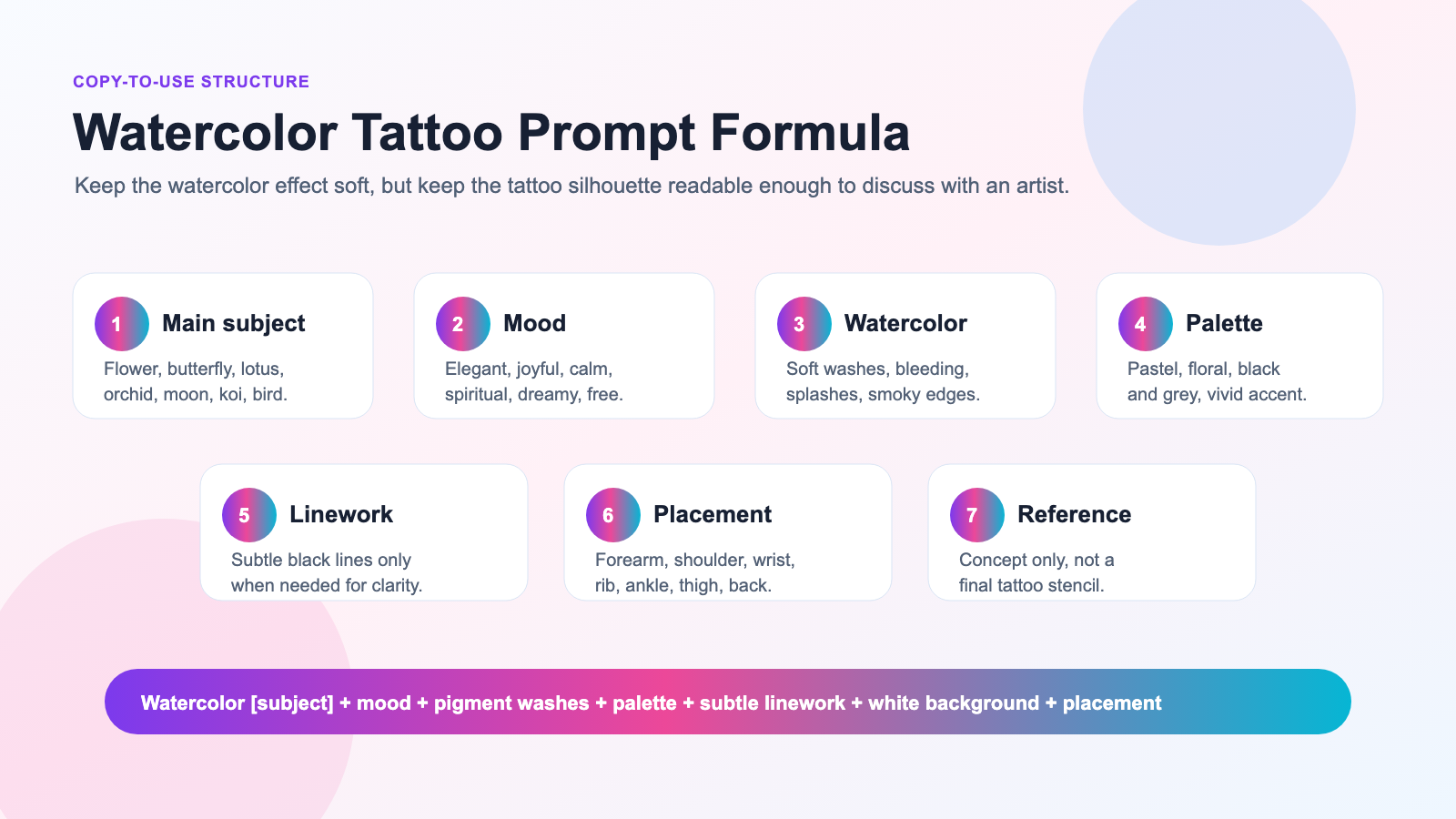
This formula works because it gives the generator style and tattoo constraints at the same time. The subject creates the focal point. The mood gives emotional direction. The color palette controls the wash. The silhouette and linework instructions keep the image from becoming only paint texture. The placement helps the design fit a real body area.
Use the same structure when you want a watercolor style tattoo generator, watercolor tattoo ideas generator, or watercolor tattoo prompt generator workflow.
Copy-to-Use Watercolor Tattoo Prompt Examples
Use these prompts as starting templates in Tattoo AI Design. Edit the subject, colors, linework, mood, and placement until the concept feels personal.
-
Watercolor style tattoo of a blooming orchid, symbolizing elegance and quiet strength, soft purple and blue pigment washes, delicate splash effects, thin black stem linework, clean white background, suitable for forearm placement.
-
Watercolor tattoo flower design with a rose and loose pink paint splashes, romantic but modern mood, soft red gradients, subtle green leaves, minimal black outlines, airy negative space, suitable for upper arm or shoulder.
-
Black watercolor tattoo of a lotus flower, calm and spiritual mood, soft black and grey ink wash, smoky edges, light dot texture, minimal linework, clean centered composition, suitable for wrist or back neck placement.
-
Butterfly watercolor tattoo with translucent blue and violet wings, transformation symbolism, soft color bleeding, tiny star-like splashes, delicate black body line, elegant white background, suitable for collarbone or ankle placement.
-
Floral watercolor tattoo of cherry blossoms on a curved branch, soft pink petals, pale blue background wash, gentle Japanese-inspired composition, light linework, graceful body-flow design, suitable for shoulder or rib placement.
-
Watercolor orchid tattoo with magenta petals and turquoise splash accents, elegant botanical mood, thin stem detail, soft paint bloom effect, clean tattoo flash composition, suitable for calf or forearm.
-
Watercolor style tattoo of a hummingbird flying toward wildflowers, joyful and free mood, emerald and coral pigment splashes, soft feather gradients, minimal black outline, bright airy composition, suitable for shoulder blade.
-
Black and grey watercolor tattoo of a crescent moon with small flowers, dreamy night mood, smoky ink wash, light splatter texture, thin botanical details, clean negative space, suitable for inner arm placement.
-
Watercolor tattoo flower sleeve concept with poppies, violets, and lavender, soft red, purple, and green washes, flowing vertical arrangement, gentle splash texture, readable floral shapes, suitable for half-sleeve planning.
-
Watercolor butterfly and flower tattoo, butterfly landing on a small rose, pastel pink and blue paint splashes, delicate wing details, elegant feminine composition, clean white background, suitable for shoulder or upper back.
-
Minimal watercolor tattoo of a single daisy, cheerful and light mood, yellow center, pale blue and green splashes, fine black stem, simple negative space, suitable for ankle or wrist placement.
-
Watercolor style tattoo of a koi fish with loose orange and blue pigment waves, flowing movement, soft splash effects, subtle black linework, balanced tattoo composition, suitable for thigh or upper arm.
These examples help you generate watercolor tattoo designs online without starting from a blank prompt box. For best results, generate several versions and compare which one has the cleanest silhouette.
Watercolor Tattoo Flower Prompt Ideas
Floral concepts work especially well with watercolor because petals, leaves, and stems naturally support soft edges and gentle color transitions. A watercolor tattoo flower prompt should still name the exact flower and placement so the design does not become a generic bloom.
Try these directions:
- Use tattoo flower watercolor prompts when you want roses, orchids, poppies, violets, lavender, daisies, or wildflowers.
- Use floral watercolor tattoo ideas for airy compositions with negative space and light linework.
- Use a watercolor orchid tattoo prompt when you want elegance, quiet strength, and botanical detail.
- Use watercolor cherry blossom tattoo references for soft pink petals and graceful branch movement.
- Use watercolor rose tattoo ideas for romantic, memorial, or modern floral concepts.
- Use a watercolor lotus flower tattoo prompt for calm, spiritual, or renewal themes.
For floral tattoos, ask the artist which details should be simplified. Tiny petal veins, pale color transitions, and loose splashes may look beautiful in a concept image but need adjustment for skin.
Butterfly Watercolor Tattoo Prompt Ideas
Butterflies are a strong match for watercolor because the wings can hold soft color gradients while the body and wing structure keep the silhouette readable. A butterfly watercolor tattoo prompt should include wing color, symmetry, splash level, linework, and placement.
Use watercolor butterfly tattoo ideas when you want transformation, growth, memory, or freedom symbolism. Try an AI butterfly watercolor tattoo prompt for quick variations, a delicate watercolor butterfly tattoo prompt for collarbone or ankle concepts, or a colorful butterfly tattoo generator workflow when you want several palettes.
For a more specific effect, ask for a butterfly tattoo with watercolor splash and define whether the splash should sit behind the wings, fade outward, or stay minimal. For smaller placements, use small watercolor butterfly tattoo language and tell the AI to keep details simple enough for long-term readability.
Black Watercolor Tattoo Prompt Ideas
Black watercolor tattoos can be subtle, moody, and easier to simplify than highly colorful designs. Use them when you like wash texture, smoky edges, and negative space but do not want a bright palette.
Start with black watercolor tattoo prompts for moons, flowers, abstract brush shapes, birds, moths, or botanical details. Use black and grey watercolor tattoo language when you want soft contrast rather than deep black fill. A black watercolor flower tattoo works well for lotus, rose, orchid, poppy, or chrysanthemum concepts.
For smaller placements, try a minimal black watercolor tattoo or black ink watercolor tattoo idea with clean negative space. If the design needs structure, include watercolor tattoo with black linework or a soft black watercolor tattoo prompt so the AI understands that wash texture should support the shape, not replace it.
How to Improve a Vague Watercolor Tattoo Prompt
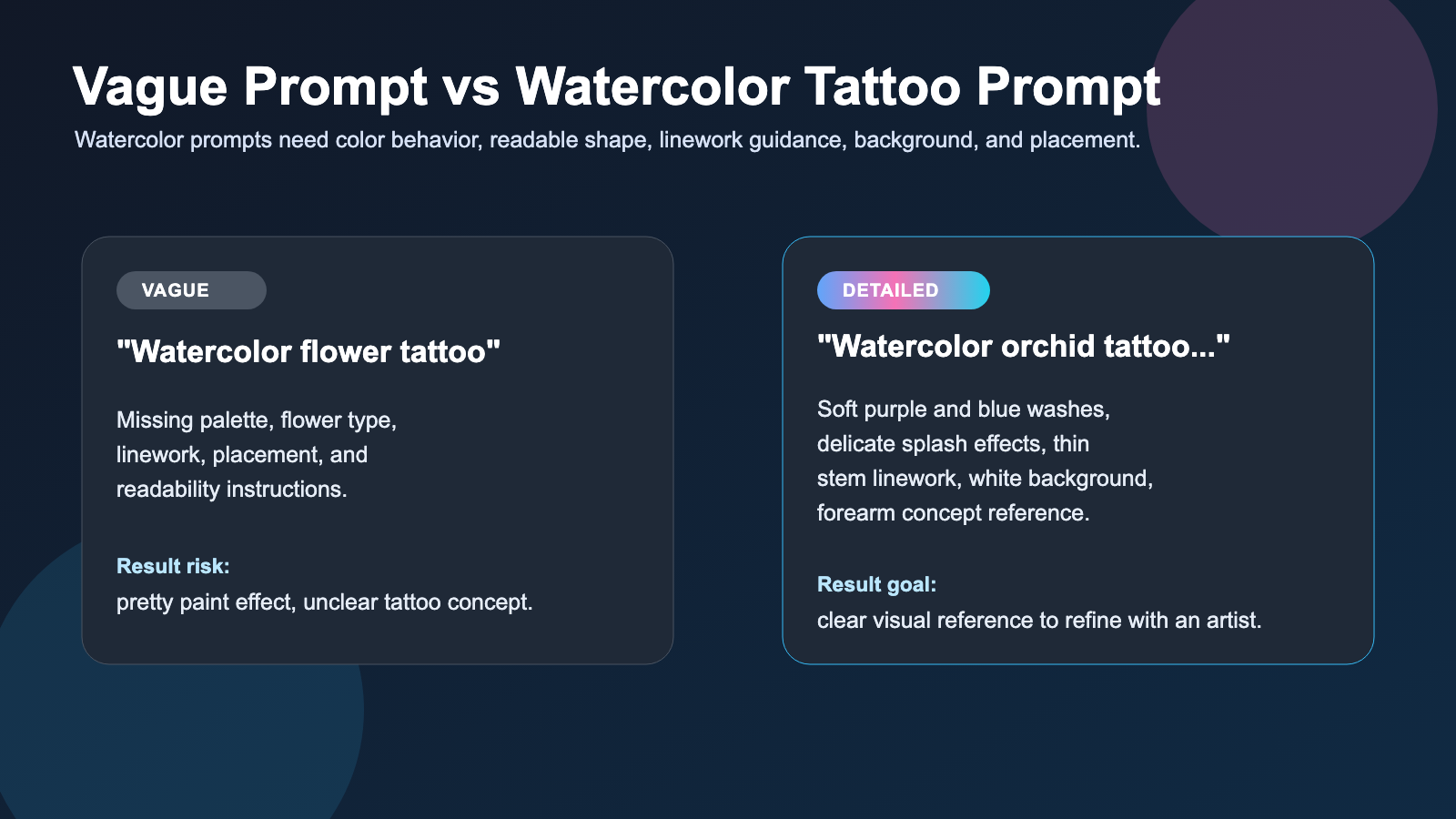
The easiest fix is to replace generic style words with tattoo-specific instructions. "Pretty watercolor flower" is a mood. It is not enough information for a useful tattoo concept.
Weak prompt:
Watercolor flower tattoo.
Stronger prompt:
Watercolor style tattoo of a blooming orchid, symbolizing elegance and quiet strength, soft purple and blue pigment washes, delicate splash effects, thin black stem linework, clean white background, readable silhouette, suitable for forearm placement, professional tattoo concept reference.
The stronger prompt gives the AI a flower type, meaning, color behavior, linework, background, silhouette, and placement. It also gives your tattoo artist a clearer reference for what should be preserved, simplified, or redrawn.
Artist Refinement Checklist for Watercolor Tattoo Concepts
AI concepts are useful for discovery, but tattoo artists understand how pigment, skin, aging, placement, and anatomy change a design. Before using any AI-generated concept, ask an artist to review:
- Placement: Does the design flow with the forearm, shoulder, rib, ankle, wrist, thigh, or back?
- Line durability: Are the lines strong enough, or does the concept rely too much on pale washes?
- Color aging: Will soft pink, blue, purple, yellow, or grey remain readable over time?
- Skin tone: Does the palette have enough contrast for your skin?
- Anatomy: Do flowers, butterflies, birds, koi, or body-flow elements look structurally believable?
- Scale: Are tiny splashes, dots, petal details, and wing markings too small?
- Long-term readability: Will the tattoo still make sense from a normal viewing distance?
This review is especially important for watercolor tattoos because soft color transitions can be more delicate than bold black shapes. Use AI to clarify taste, then let the artist adapt the design for skin.
Related Articles
- How to Use the Cherry Blossom Tattoo Generator for Sakura Tattoo Ideas
- How to Use an AI Tattoo Generator to Create Needle-Ready Designs in Minutes
- ChatGPT Image 2 for Tattoo Ideas: What's New, How to Prompt It, and When to Use a Tattoo Generator
- How to Create Striking Illustrative Tattoo Ideas with TattooDesign AI
- How to Generate Fine-Line Tattoo Ideas with Tattoo AI Design's FineLine Tattoo Generator
- How to Try On the Tattoo on Your Body Photos
People Also Read
- Watercolor Tattoo Style Guide — Technique, Aging & Artists
- Watercolor Tattoo Style
- Watercolor Tattoos: Comprehensive Style Guide
- Watercolor Flower Tattoos: Expressive Blooms on Skin
- 31 Floral Tattoo Designs That Will Inspire You to Make an Appointment
- Get Tattoo Inspiration from AI
FAQ
What should I type into a watercolor tattoo generator?
Describe the subject, mood, watercolor effect, color palette, linework, supporting elements, background, placement, and concept-reference purpose. For example, "Watercolor style tattoo of a blooming orchid, soft purple and blue washes, delicate splash effects, thin stem linework, white background, suitable for forearm placement."
Can AI watercolor tattoo output be used as a final stencil?
No. Treat AI output as a visual concept reference only. A professional tattoo artist should redraw or refine it for placement, line durability, color aging, skin tone, anatomy, and long-term readability.
What watercolor tattoo ideas work best for flowers?
Orchids, roses, cherry blossoms, lotus flowers, daisies, lavender, poppies, and wildflowers work well because they can use soft washes while still keeping a readable floral shape.
Are black watercolor tattoos a good option?
Black watercolor tattoos can be a good option if you like smoky washes, subtle gradients, and less saturated color. Ask your artist whether the contrast is strong enough for your placement and skin tone.
How do I make a butterfly watercolor tattoo prompt better?
Add wing colors, symbolism, splash placement, linework, size, and body placement. For example, request translucent blue and violet wings, transformation symbolism, soft color bleeding, a delicate black body line, and collarbone or ankle placement.
Conclusion
A watercolor tattoo generator is most useful when your prompt balances soft painterly effects with tattoo-specific clarity. Name the subject, mood, pigment washes, color palette, linework, background, and placement so the concept can be reviewed seriously.
Use Tattoo AI Design to explore watercolor flowers, butterflies, black and grey washes, and delicate splash compositions. Then bring your strongest references to a professional tattoo artist so the final design fits your body, skin tone, and long-term tattoo goals.