AI Tattoo Video Generator: Animate Tattoo into Videos
Turn your tattoo designs into dynamic videos—preview realistic skin effects, movement, and layout to make informed decisions before getting inked.
AI Tattoo Video Generator Examples
See inspiring video samples created by AI Tattoo Video Generator and spark more creativity for your own designs!
![The [hand] in the picture begins to swing slightly, displaying the tattoo on the back of the hand](https://cdn.tattooai.design/tattoo_ai/ai_tattoo_video/example/1.webp)
Key Features of AI Tattoo Video Generator
Showcase tattoo designs with seamless end-to-end video generation. Go from concept to realistic motion previews, all in one tool.
Tattoo Design Video Presentation
Convert your existing tattoo art or AI-generated designs into videos that demonstrate line flow, proportions, and whole-layout dynamics.
Skin-Conforming Simulation
Videos intelligently simulate skin curvature and subtle body movements to closely resemble how tattoos appear in real life.
Multi-Angle & Detail Display
Video pacing and camera changes reveal your tattoo from various angles, helping you examine both intricate details and overall harmony.
Why Choose AI Tattoo Video Generator?
Unlike static images, it emphasizes realism and helps you quickly and clearly understand tattoo effects.
Lower Imagination Cost
Reduce the guesswork. Dynamic motion shows the real effect, minimizing the gap between expectation and reality.
Faster Design Confirmation
Videos enable quick assessment of placement, scale, and style, reducing time spent communicating revisions.
Better for Complex Designs
Videos make it easy to see layers and rhythm in intricate or structurally complex tattoos.
Easy-to-Use, Shareable Format
Export video files for effortless saving and sharing—suitable for any context.
AI Tattoo Video Generator Use Cases
Ideal for confirming tattoo designs and showcasing their effects throughout the decision process.
Pre-Tattoo Effect Preview
See the overall look of a design on skin before inking, so you can decide with confidence.
Collaborating with Tattoo Artists
Use the video as a visual reference to discuss line tweaks, placement adjustments, or stylistic refinements.
Creative Concept Showcases & Personal Records
Present original tattoo ideas for others to quickly understand, or keep videos as a creative log and progress archive.
How to Use the AI Tattoo Video Generator
Prepare Design or Description
Get ready by outlining your tattoo idea or providing a reference design.
Generate Tattoo Effect
Use the AI tool to create the corresponding tattoo look based on your input.
Convert to Video Display
Transform your generated tattoo design into a dynamic video showcasing its effect.
Save and Use
Download the result and use the video for review, sharing, or consultation.
AI Tattoo Video Generator FAQ
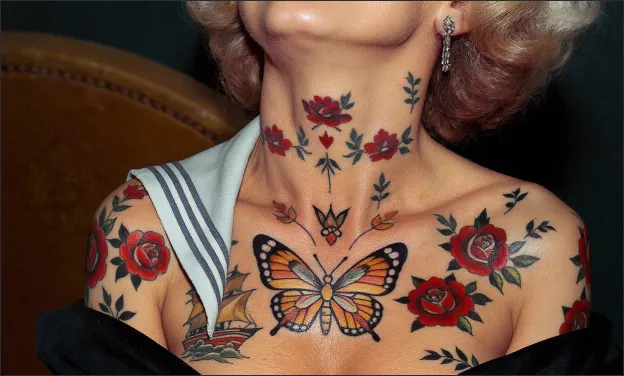
Explore more tattoo styles created with Tattoo AI Design
Explore a variety of tattoo styles created with Tattoo AI Design.